API Integrations
Integration guide
Pull prompt versions and evaluation results into your application using scoped integration API keys.
Quickstart
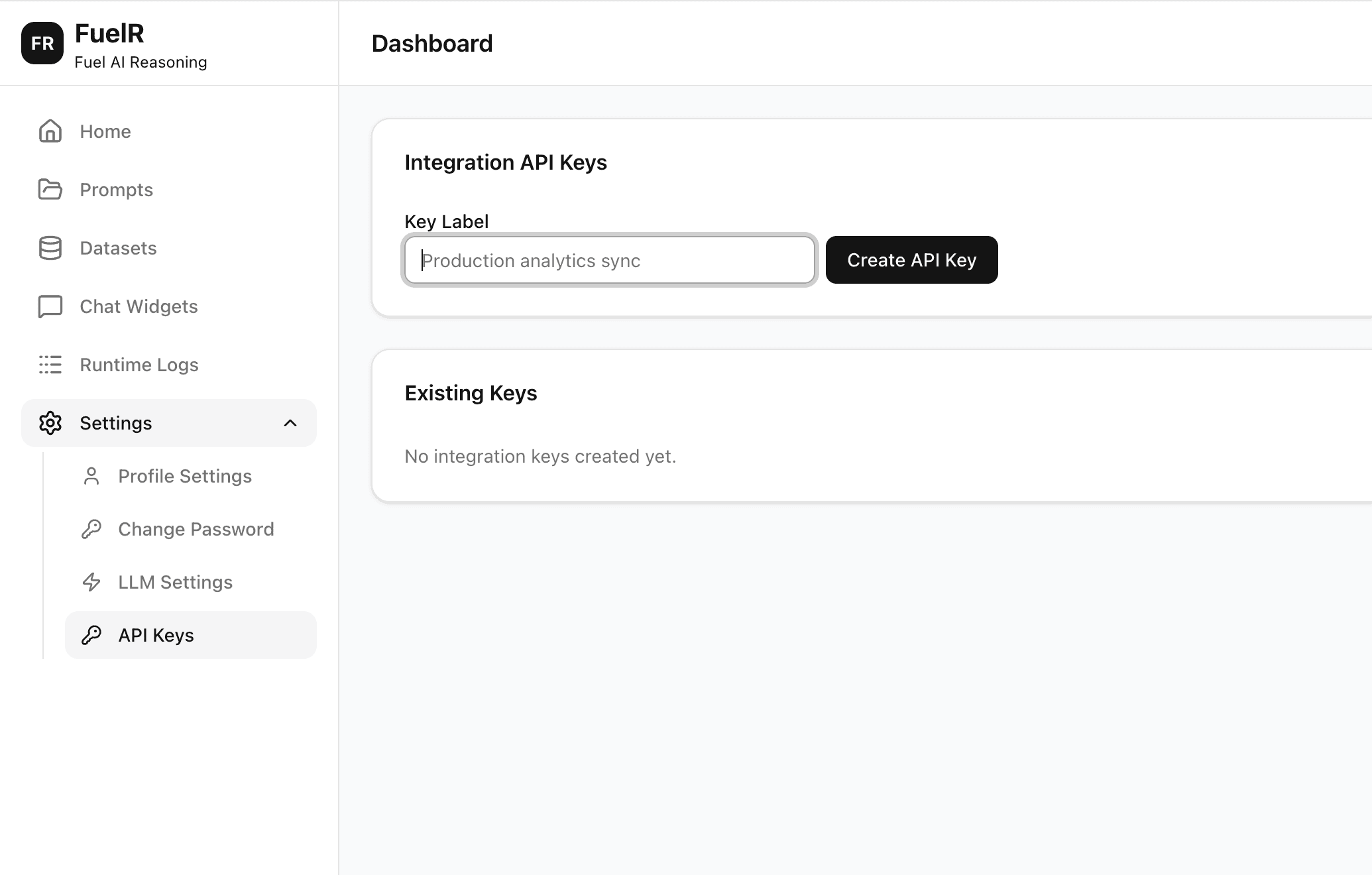
- Log in and go to Settings → API Keys.
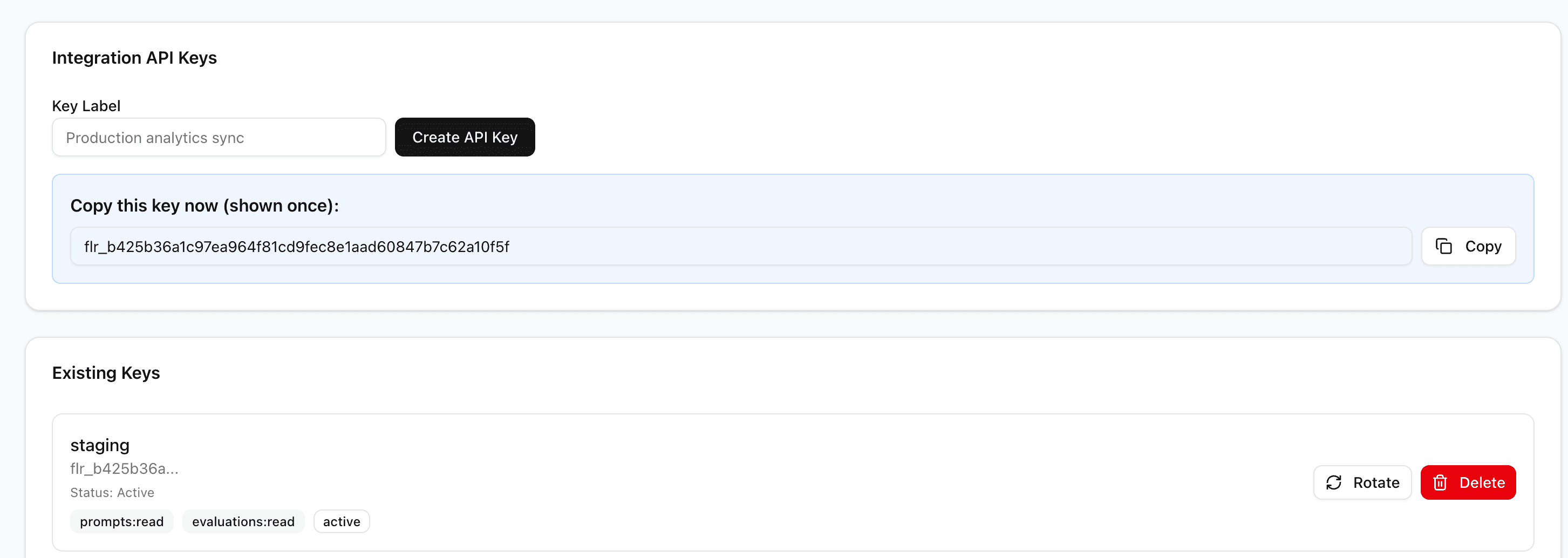
- Create a key with the scopes you need and copy it once.
- Store it securely on your server — never expose it in client-side code.
- Call FuelR public endpoints with
Authorization: Bearer <key>.
Authentication
Authorization: Bearer flr_xxxxxxxxxxxxxxxxxxxxxxxx
Every request to /api/public/v1/* must carry an Authorization: Bearer header with a valid integration key. Each endpoint enforces a specific scope — your key must include that scope to be accepted.
Endpoint reference
All integration endpoints are read-only and served under /api/public/v1. Key lifecycle actions (create, rotate, revoke) are performed from Settings → API Keys inside FuelR, not via integration endpoints.
Public Data API
Fetch prompts and evaluation results from FuelR in read-only mode.
/api/public/v1GET/api/public/v1/prompts
List prompts that are available through integration access.
Required scope
prompts:readExample request
curl --request GET \
  --url https://api.fuelr.ai/api/public/v1/prompts \
  --header 'Authorization: Bearer flr_xxxxxxxxxxxxxxxxxxxxxxxx'
GET/api/public/v1/prompts/:promptId
Get prompt metadata and current integration-safe details.
Required scope
prompts:readExample request
curl --request GET \
  --url https://api.fuelr.ai/api/public/v1/prompts/:promptId \
  --header 'Authorization: Bearer flr_xxxxxxxxxxxxxxxxxxxxxxxx'
GET/api/public/v1/prompts/:promptId/versions
Return version history for a prompt.
Required scope
prompts:readExample request
curl --request GET \
  --url https://api.fuelr.ai/api/public/v1/prompts/:promptId/versions \
  --header 'Authorization: Bearer flr_xxxxxxxxxxxxxxxxxxxxxxxx'
GET/api/public/v1/evaluations
List evaluations available for integration consumers.
Required scope
evaluations:readExample request
curl --request GET \
  --url https://api.fuelr.ai/api/public/v1/evaluations \
  --header 'Authorization: Bearer flr_xxxxxxxxxxxxxxxxxxxxxxxx'
GET/api/public/v1/evaluations/:evaluationRunId
Get one evaluation with detailed output and metadata.
Required scope
evaluations:readExample request
curl --request GET \
  --url https://api.fuelr.ai/api/public/v1/evaluations/:evaluationRunId \
  --header 'Authorization: Bearer flr_xxxxxxxxxxxxxxxxxxxxxxxx'
Visual walkthrough
Follow these steps to get your first integration key set up.
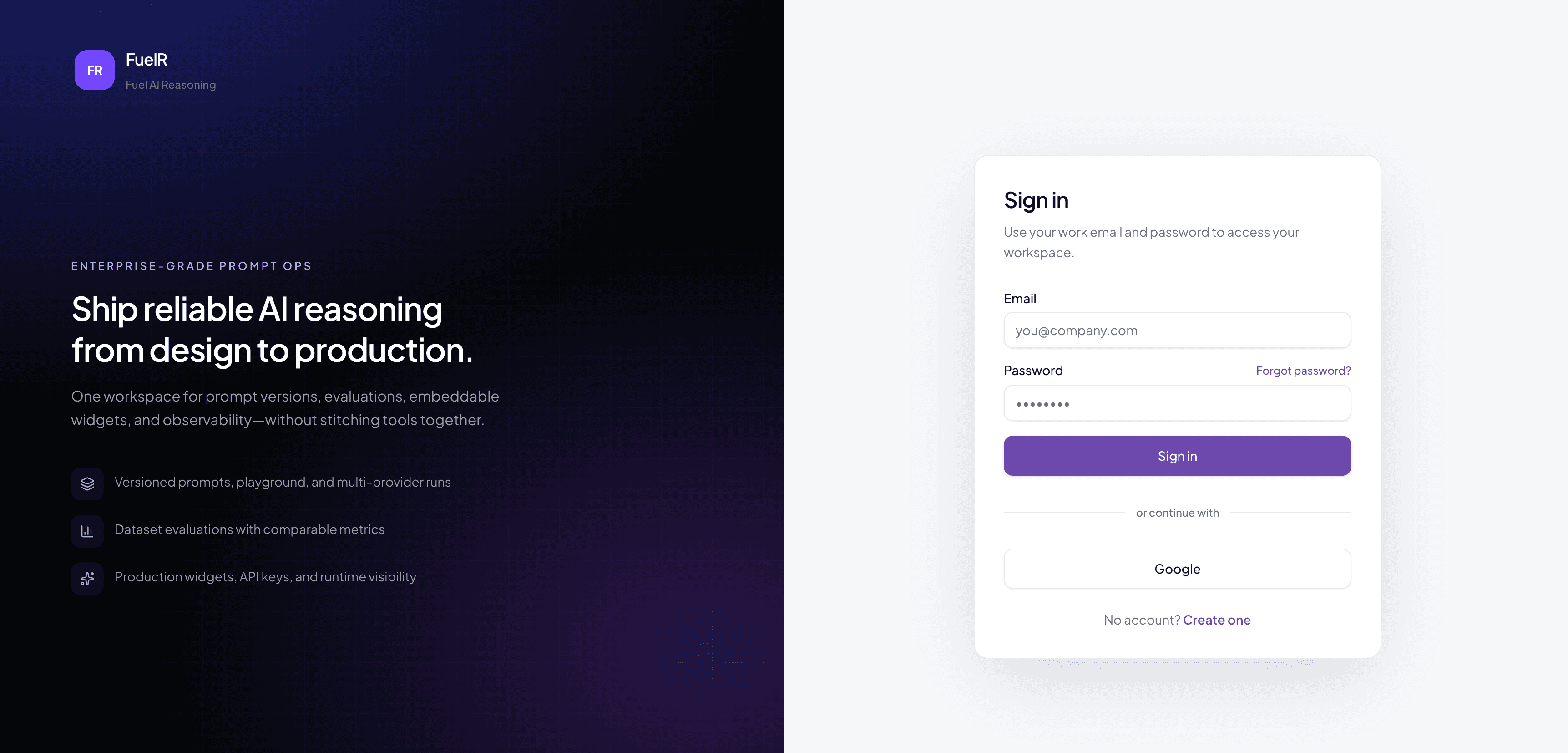
Step 1: Login Or Register
From the FuelR homepage, click Read API Docs in the API Integrations section.
Step 2: Go To Settings → API Keys
After login, open Settings and navigate to API Keys to create integration credentials.
Step 3: Create And Copy A Key
Create a key with prompts:read and evaluations:read scopes, then copy it once — it is only shown on creation.
Step 4: Call your first endpoint
curl --request GET \
  --url https://api.fuelr.ai/api/public/v1/prompts \
  --header 'Authorization: Bearer flr_xxxxxxxxxxxxxxxxxxxxxxxx'